Case 01
Enterprise Payroll
Intelligent Time Tracking
Four months of strategic AI discovery across the payroll experience — then one validated opportunity became the product.
The company wasn't asking for an OCR feature.
It was asking where AI could meaningfully improve payroll.
Product evolution
From strategic AI discovery to mobile iteration — and what I’d change next time.
Strategic exploration · 4 months
Strategic AI Discovery
A small design initiative asked where AI could meaningfully improve payroll — not which OCR feature to ship.
01 Strategic exploration
Strategic AI Discovery
A small design initiative asked where AI could meaningfully improve payroll — not which OCR feature to ship.
Mapped the payroll ecosystem
We walked the full lifecycle — upload, validation, entry, review, reports, submit — and named friction at each step.
Identified AI opportunities
Opportunities were scored for real effort reduction against the confidence payroll requires.
Executive demos & concepts
Multiple concepts and executive demonstrations made the tradeoffs discussable before committing to build.
02 Opportunity definition
Validated the highest-value opportunity
Unstructured SMB sources — spreadsheets, PDFs, photos of boards — consistently surfaced as the highest-value path.
Intelligent Time Tracking MVP
That opportunity became the product: extract into the payroll system, review, and submit — starting as a conversational prototype.
03 Learning and correction
Research failure
Six participants rejected chat-driven payroll. Nobody trusted AI to submit. Tables and verification won.
Redesign
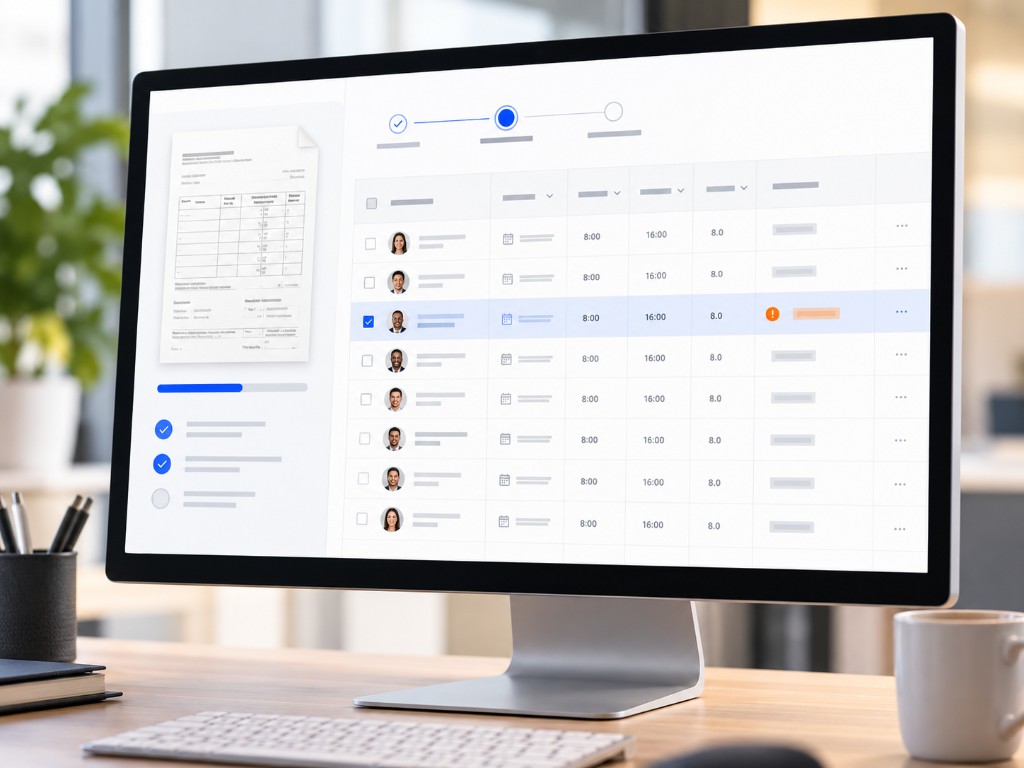
Intelligence stayed; interaction became familiar — verification table, edit modals, quieter AI language. The review-first path shipped with engineering through rapid iteration.
04 Delivery and evolution
Mobile iteration
After launch the question became: can someone confidently review payroll on a phone?
What I'd do differently
Validate the interaction model before building the clever one — and treat trust as a deliverable from day one. The larger opportunity was redesigning the payroll workflow, not only the AI feature.
01 — Strategic Discovery
The goal wasn't to ship immediately. It was to understand where AI belonged before building it.
With another designer, I mapped the payroll lifecycle, surfaced friction, explored where AI could realistically create value, and produced concepts and executive demonstrations.
Payroll opportunity map
Six lifecycle stages.
- 01
Upload
- 02
Validation
- 03
Payroll Entry
- 04
Review
- 05
Reports
- 06
Submit
Three lenses.
Pain points, opportunities, and solutions — where discovery looked for value.
Pain points
Recurring issues and manual work that slow teams down.
AI opportunities
Where AI can add the most value and reduce friction.
Concepts explored
Ideas and solutions designed to address real needs.
02 — Validated Opportunity
The opportunity wasn’t an OCR feature — it was a real person trying to get hours off the wall and into payroll.
Small businesses weren’t starting in a product. They were starting with whiteboards, notebooks, PDFs, and photos — then recreating that information by hand.
Storyboard
03 — First Hypothesis
We believed automation should happen through a conversational experience.
Extract. Chat the changes. Correct in conversation. Disclose AI. On paper it felt modern.
04 — User Research
Six participants changed the product direction.
Findings
0 trusted AI to submit
Nobody would let the system finish payroll on their behalf.
AI disclosure reduced confidence
Calling out AI made people less sure — not more informed.
Every value needed verification
Extracted numbers were provisional until a human checked them.
Tables over conversation
Familiar grid review beat chat for scanning and correction.
05 — Redesign
The intelligence stayed. The interaction became familiar.
Simplified OCR communication. Less AI language. Cleaner confirmation. Edit modals instead of chat. An editable verification table. History-based suggestions that never interrupted the run.
06 — Understanding the Domain
We weren't debating screens. We were defining payroll objects.
The object map gave engineering, product, and design one payroll model before implementation.
OOUX Object Map
A systems view of the payroll language — click an object to unveil how it connects, who owns it, and where AI is allowed to act.
Select an object — or step to “Where AI lives” to see the system’s intelligence surface.
Source
- Photo / board
- PDF / schedule
- Spreadsheet
- Handwritten
Unstructured payroll input — the messy starting point AI has to read before anyone can trust the numbers.
Extraction
- Mapped fields
- Confidence
- Ambiguous rows
OCR and structuring turn raw marks into payroll language — still provisional until someone reviews.
Employee
- Name
- Worker ID
- Match status
The person being paid — matched to an existing record whenever possible.
Pay item
- Type
- Hours
- Amount
A single hours or amount line — the atomic unit of review and correction.
AI suggestion
- Proposed change
- Rationale
- Apply / dismiss
A proactive change the agent can propose — applied only when someone accepts it.
Check
- Employee
- Pay items
- Totals
- Warnings
One worker’s package in the run — the unit people scan when validating payroll.
Payroll run
- Company
- Pay period
- Checks
- Reports
The batch being processed — company, pay period, and every check in scope.
Submission
- Confirmed totals
- Submit
- Audit trail
The committed payroll act — only after a human confirms what was reviewed.
07 — Mobile Iteration
The question was no longer “Can AI read this?” It was “Can someone confidently review payroll on a phone?”
Hierarchy, readability, and scanability had to carry payroll judgment on a small screen — larger touch targets, clearer prioritization, less to hold in mind.
Review summarizes with confidence. Fix issues lets AI suggest without overriding. Confirm shows what was processed before submit.
Mobile redesign
08 — What I'd Do Differently Now
I would redesign the payroll workflow—not just the AI feature.
The MVP introduced a faster way to bring time data into payroll, but it still had to fit within a legacy experience, a compressed timeline, and significant technical constraints.
If I owned the next phase, I would step back from the feature and rethink the payroll process end to end.
Current approach
MVP within existing constraints
Legacy payroll workflow
AI-assisted file import
Review and submit
The solution improved one part of the experience, but remained attached to the structure and interaction patterns of the existing product.
Future direction
How I'd approach it now
Modern payroll workflow
Intelligence embedded throughout
Exception-based review
Submit with confidence
I would design the experience around recurring payroll patterns, proactive guidance, clear exceptions, and the decisions that actually require human attention.
Final Takeaway